


I built a tool to simplify PostgreSQL cluster setup and management.
Nowadays, if you want a simple, minimal 3-node PostgreSQL database cluster, what does it take?
-
Set up PostgreSQL across all 3 nodes.
-
Once you have 3 nodes, configure a proxy to route read-write and read-only queries using PgBouncer, pgpool-II, or HAProxy.
-
To achieve High Availability (HA) with automatic failover when the leader goes down, you need
pg_auto_failoverorrepmgr. Andrepmgrrequires an extra witness node (things start getting complicated). -
For backup and restore, you need yet another tool like
pgBackRestorbarman. -
With
repmgr, when a downed leader comes back online, it fences that node from rejoining to avoid split-brain scenarios. This leaves you with only 2 nodes, which is inconvenient because an engineer has to manually recover and rejoin that node as a follower.
All of the approaches above eventually hit operational friction.
Many teams end up using Patroni with etcd, which introduces even more infrastructure overhead.
Moreover, Patroni is heavily oriented towards Kubernetes; setting it up manually across 3 bare VPS nodes is quite tedious.
We just want a simple PostgreSQL cluster — why does it have to be this complicated? (or maybe it’s just my skill issues?)
Introducing PgVisor
I wrote a Rust wrapper on top of PostgreSQL, integrating Raft consensus via openraft.
Raft allows all cluster nodes to participate in leader elections when a leader goes down, without needing an external witness node like repmgr.
I also built a custom proxy in Rust that routes read-write queries to the leader node and balances read-only queries across follower nodes.
It includes a web dashboard to manage the cluster directly in your browser: inspect cluster and node health, and handle backup & restore (with Point-In-Time Recovery / PITR support).
Backups are executed using pg_basebackup and uploaded to an S3 bucket.
Restores leverage pg_combinebackup to automatically synthesize full and incremental backups.
Let’s Try It Out
Clone the PgVisor repository and launch an example cluster using Docker:
git clone https://github.com/dreamoutbox/pgvisor.git
cd examples/
Start the example cluster:
./pgvisorctl.sh upOnce initialization finishes, open the web dashboard (default password is postgres):
Or connect to the database via psql:
psql -h localhost -p 5432 -U postgres -d postgresOr connect from your application using the connection URI:
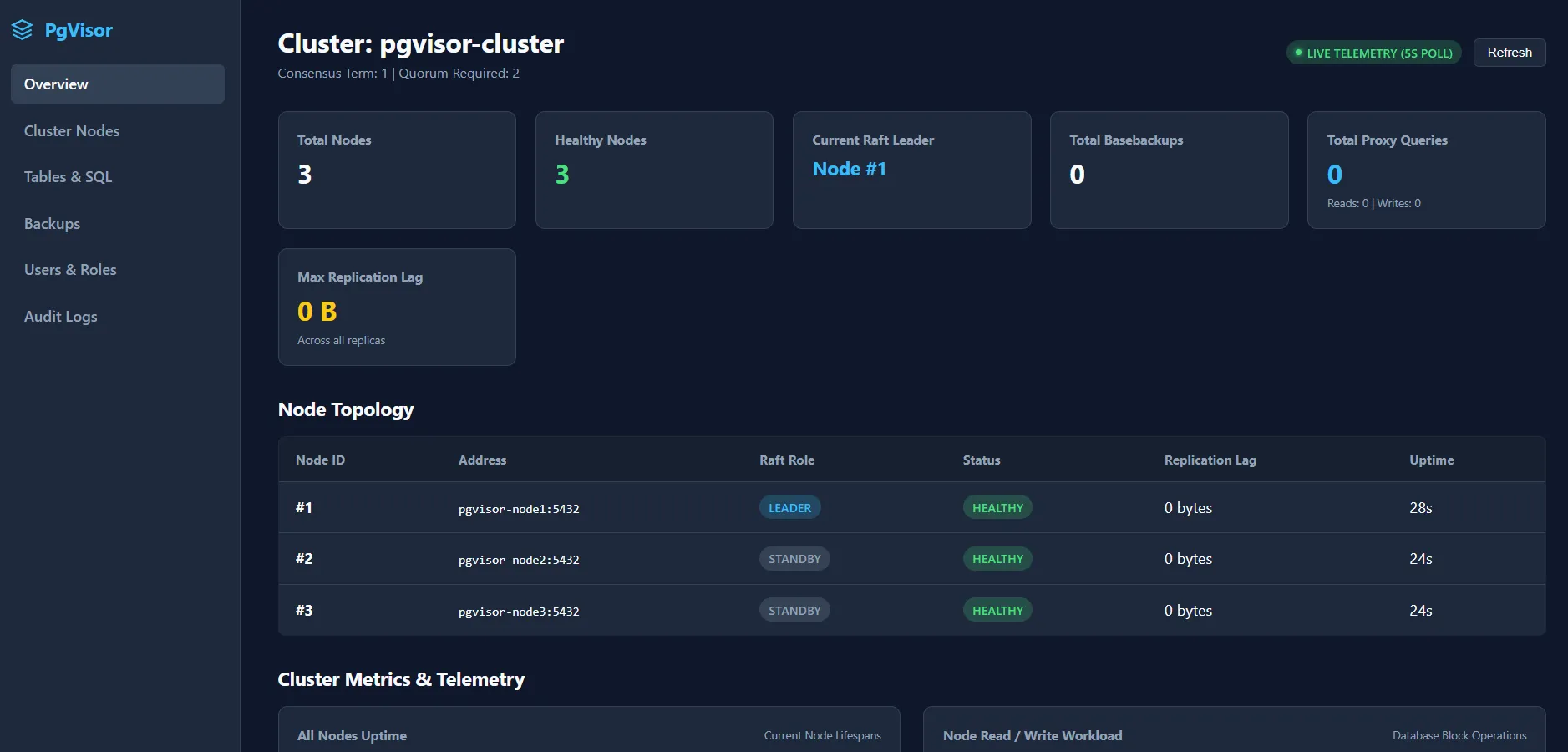
postgresql://postgres:postgres@localhost:5432/postgresThe web dashboard opens to the cluster overview:
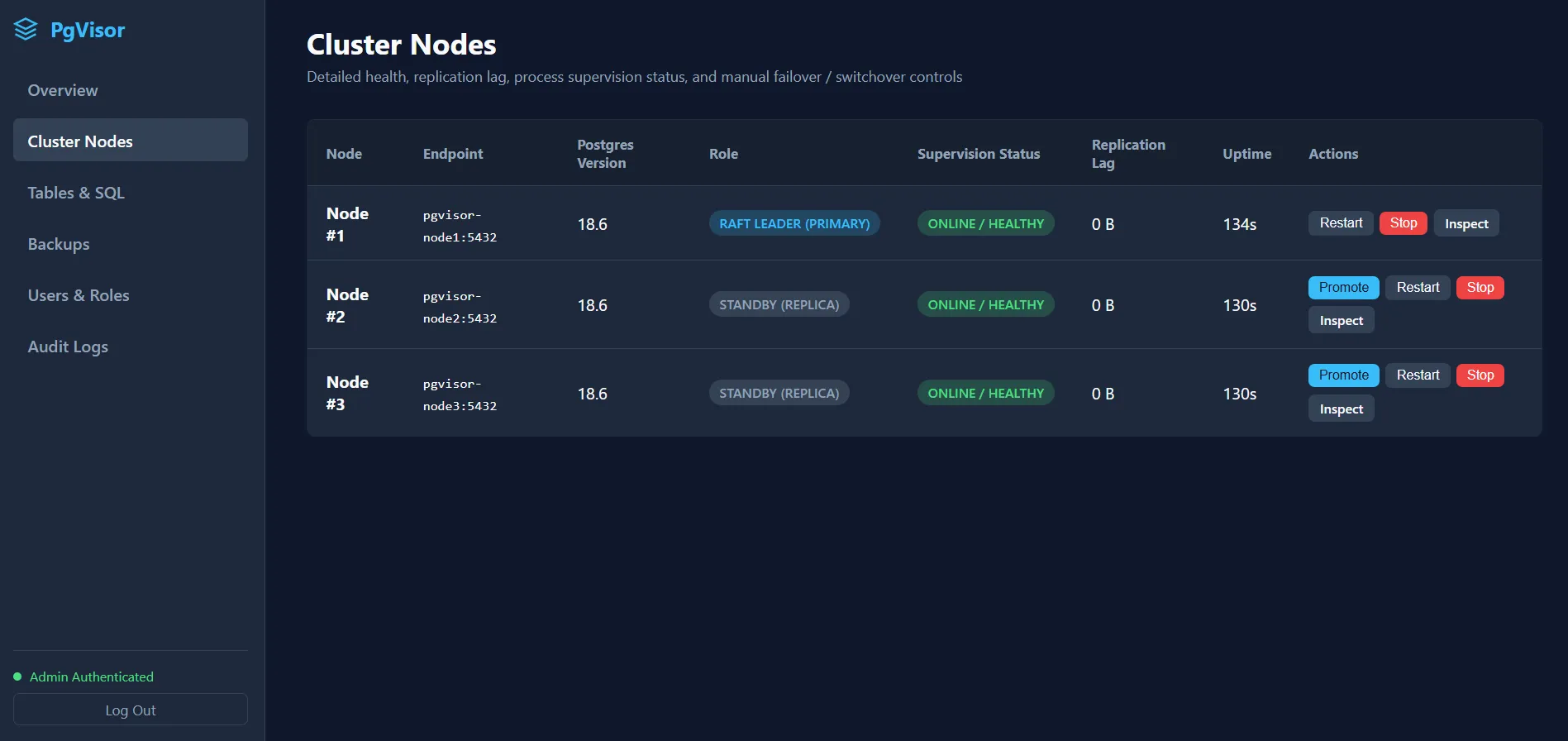
The Cluster Nodes page allows you to start, stop, restart, and promote nodes:
Testing Backup & Restore
Generate mock data to test backup and restore:
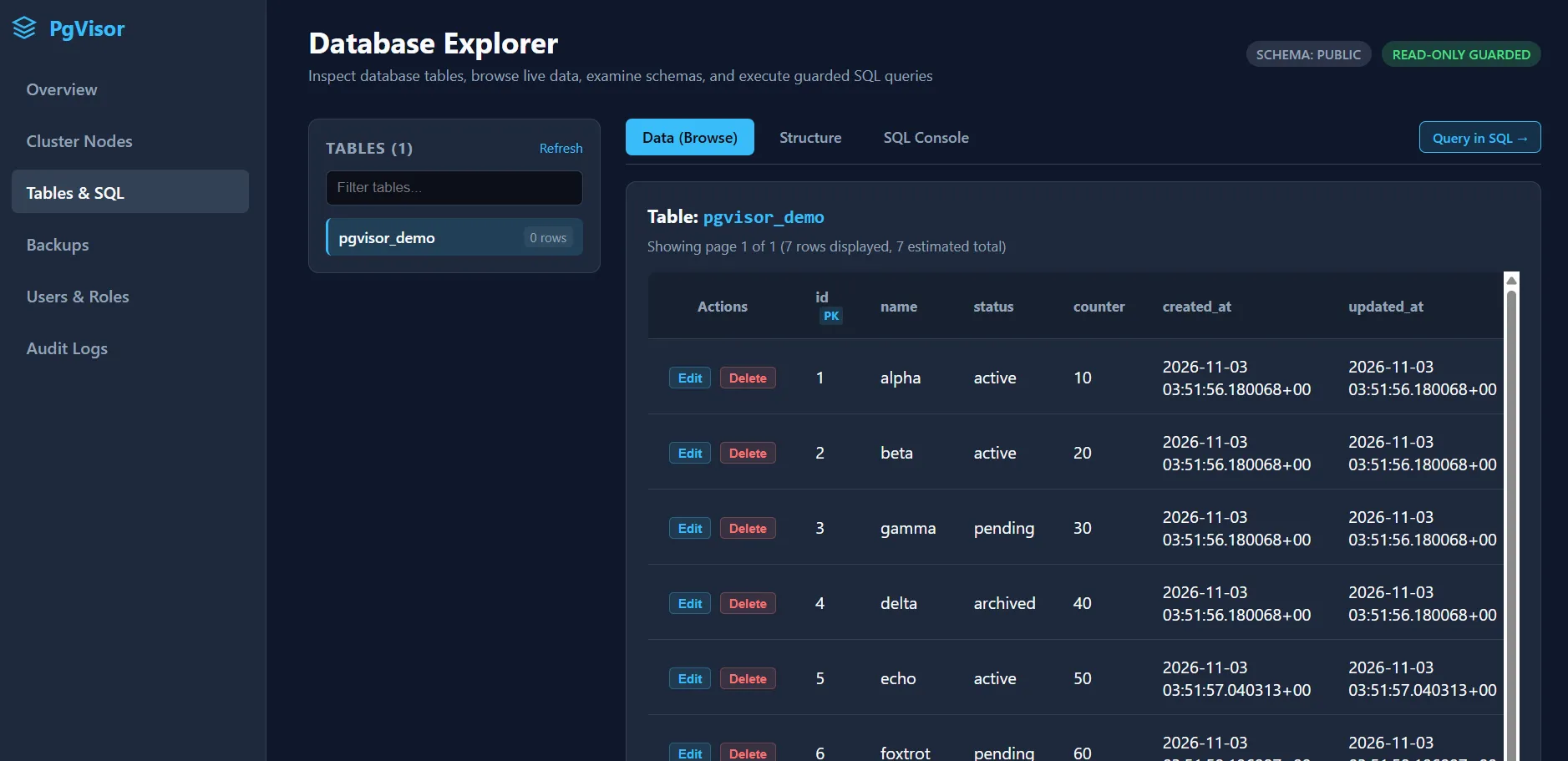
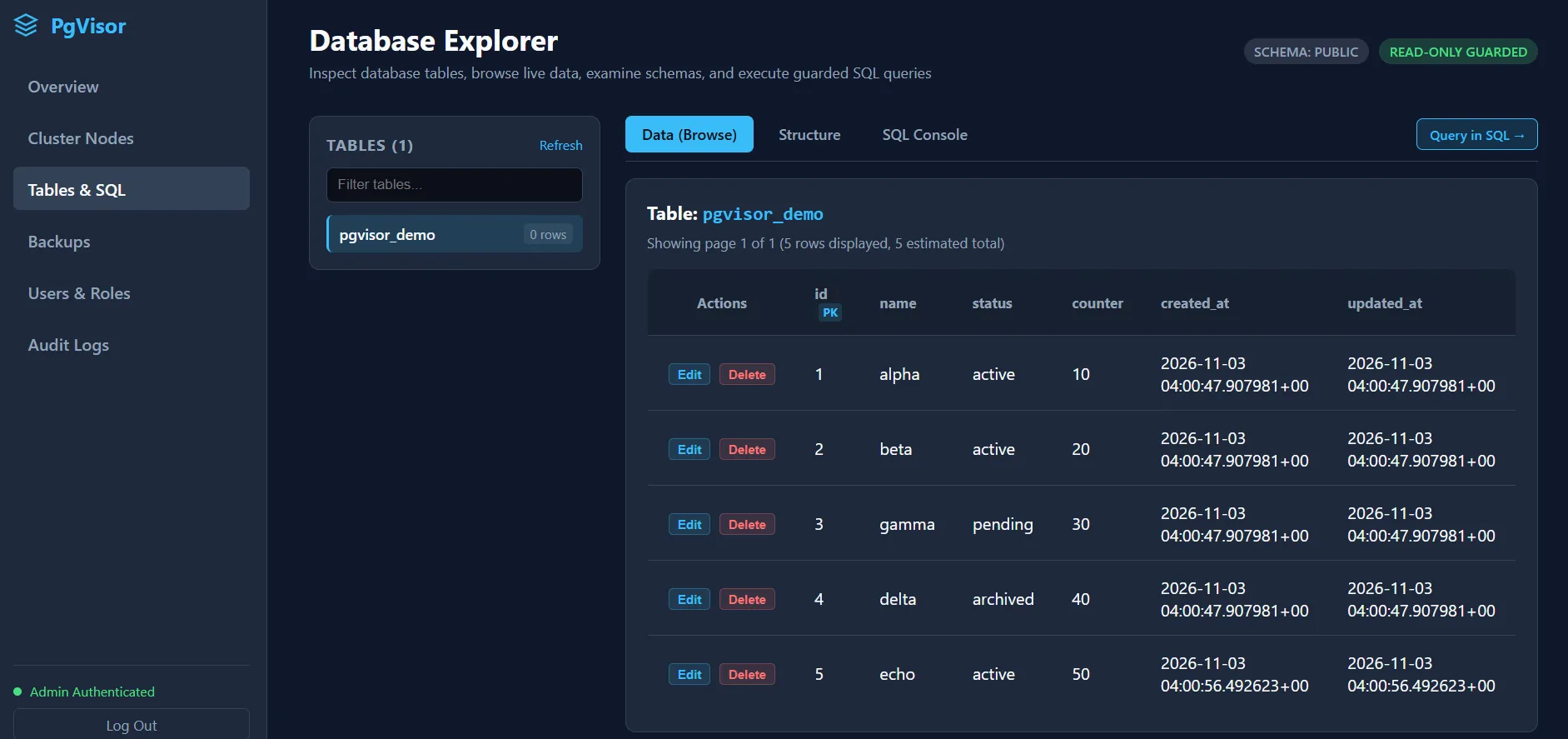
./dev-mock-data.shThe Database Explorer will display the generated mock records:
The Backups page now shows 1x full backup and 1x incremental backup:
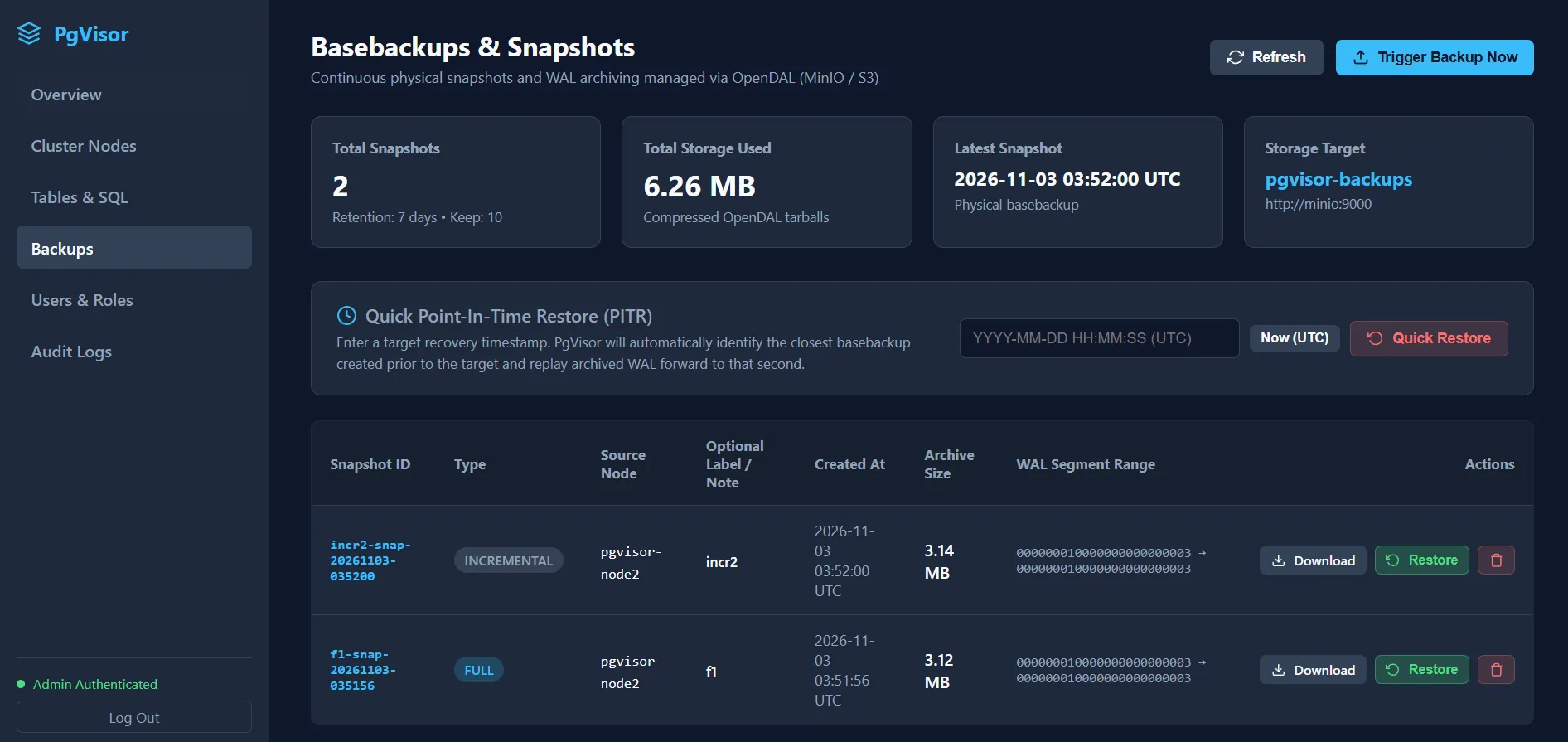
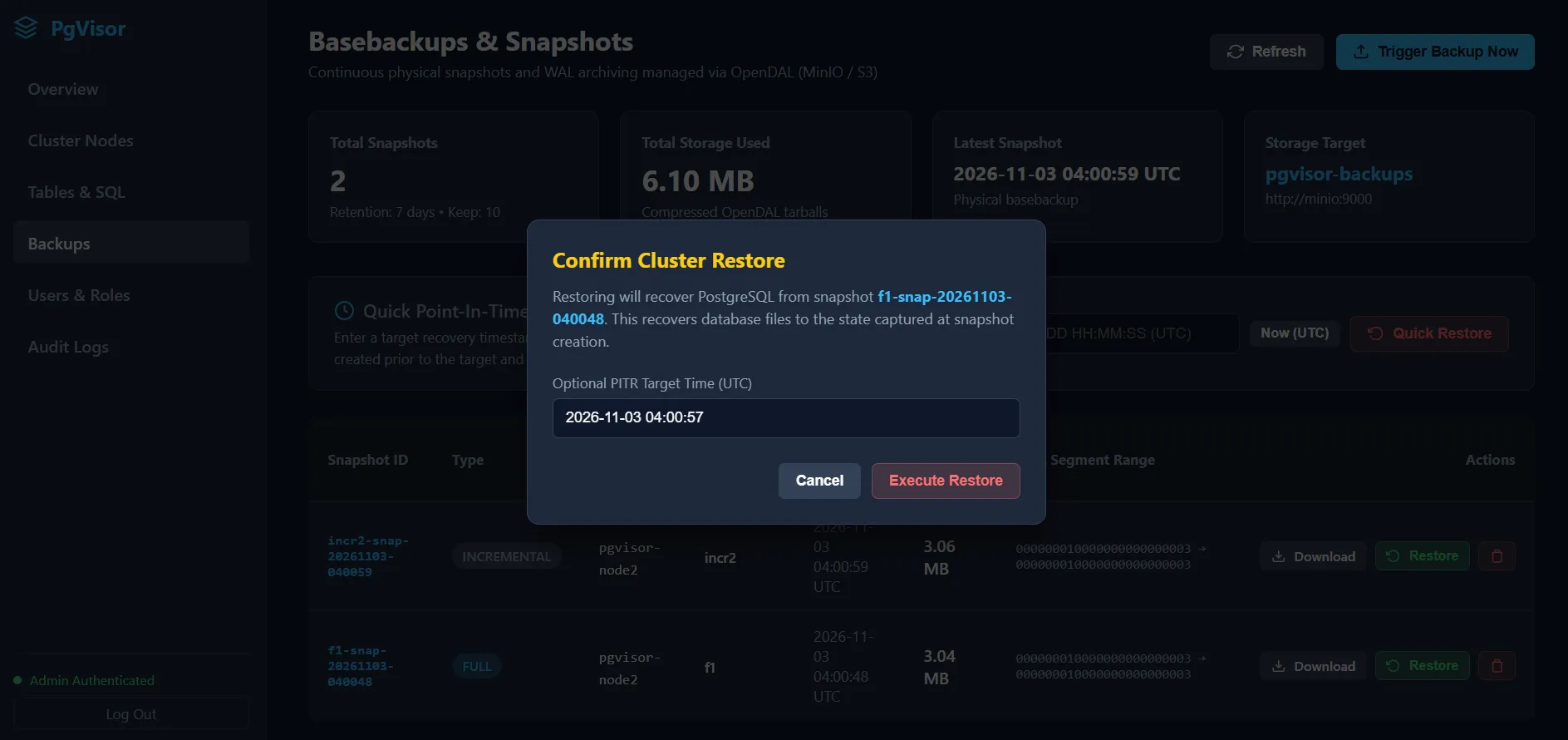
Let’s test restoring the database with PITR by entering a timestamp right before the foxtrot record was inserted:
⚠️ Gotcha !
Select the full backup, then specify the PITR target time. PgVisor will automatically pull the necessary incremental backups that cover that timeframe. The key rule: PITR time must be after the full backup creation time.
Notice that the foxtrot record is gone because the database was restored to a point in time prior to the insert:
Testing High Availability (Auto Failover)
Stop the leader node to simulate a node outage:
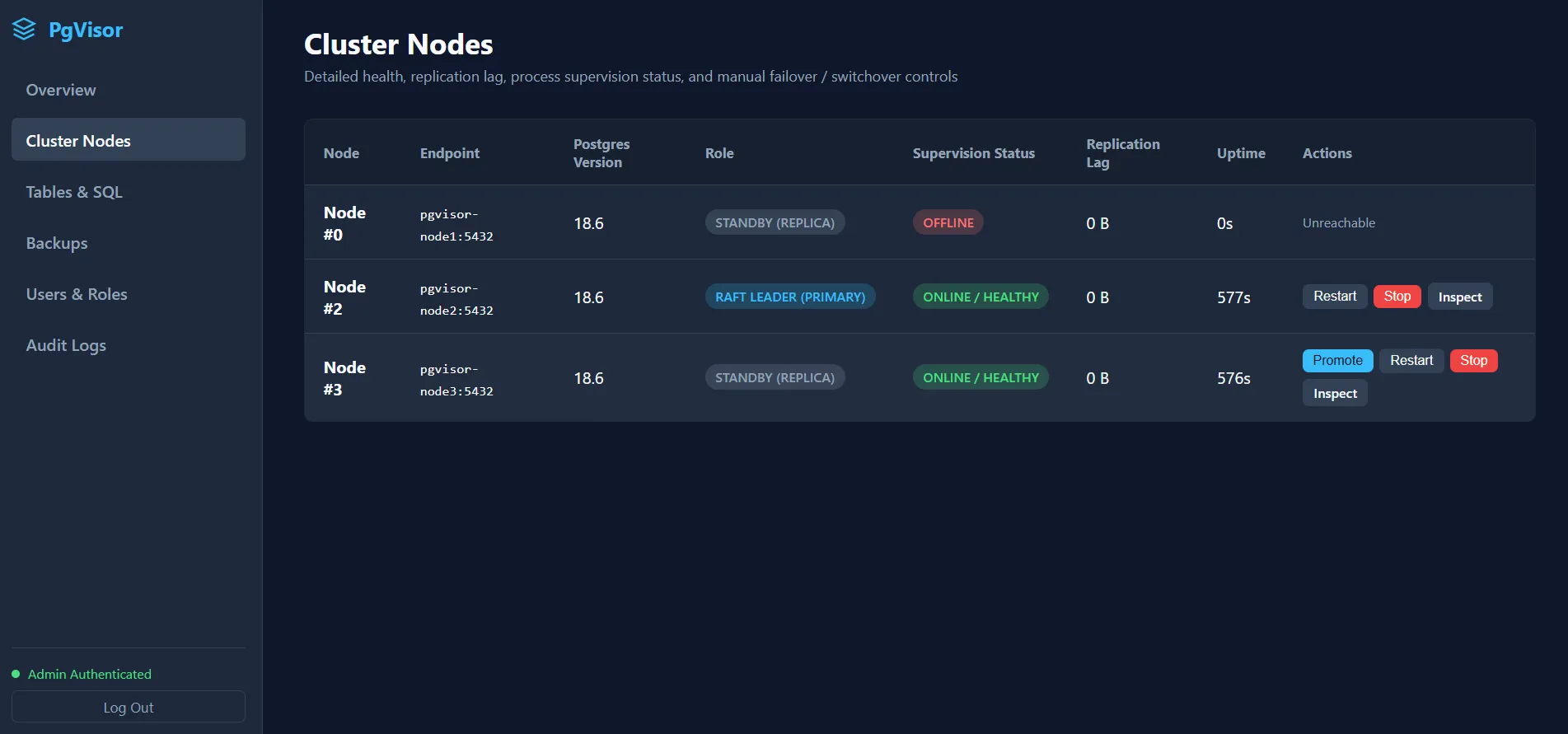
docker stop pgvisor-node1On the Cluster Nodes page, notice that node 1 is marked offline and node 2 was automatically elected as the new leader:
Bring node 1 back online:
docker start pgvisor-node1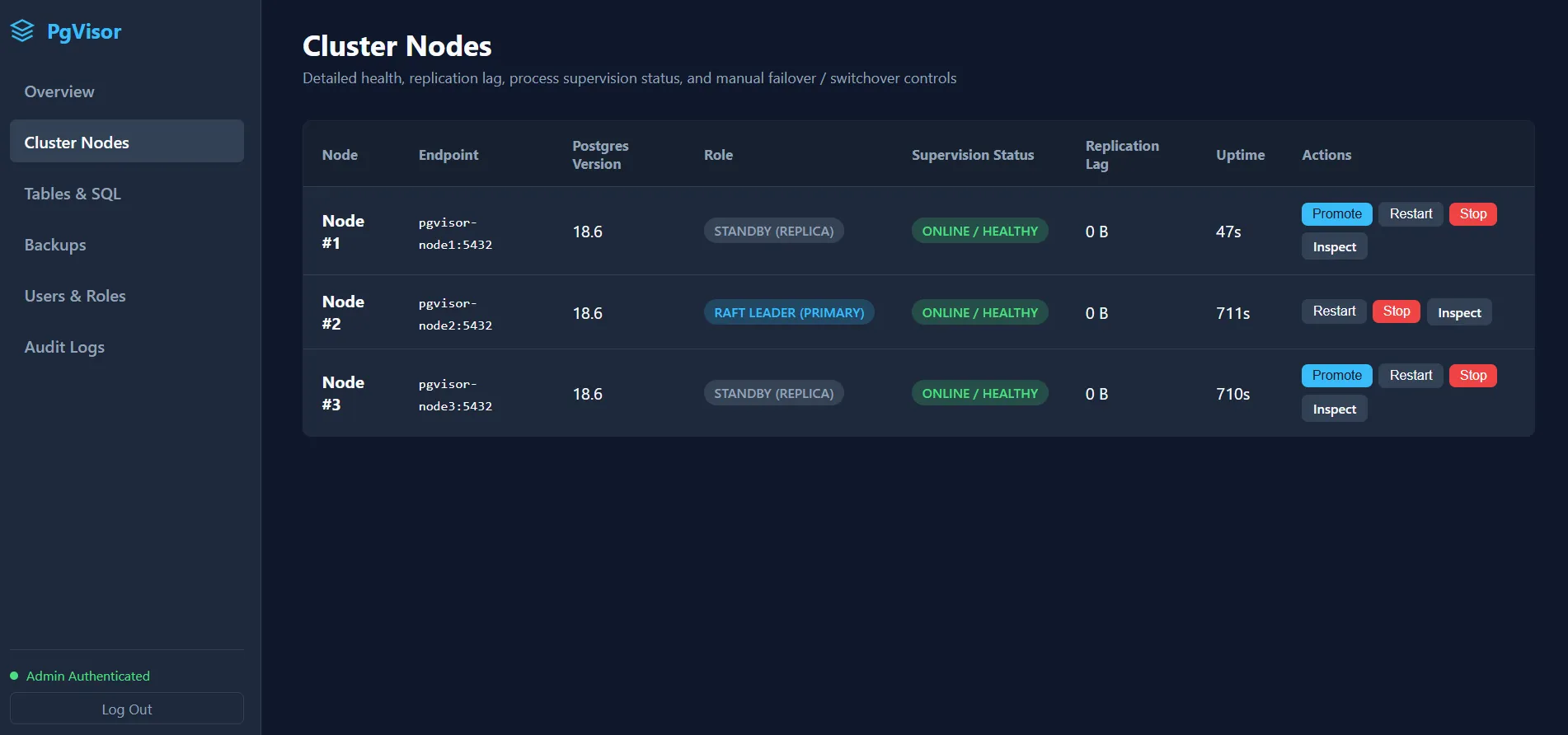
Notice that node 1 is back online and has seamlessly rejoined as a follower:
Testing Manual Leader Promotion
You can manually promote any follower directly from the Cluster Nodes page:
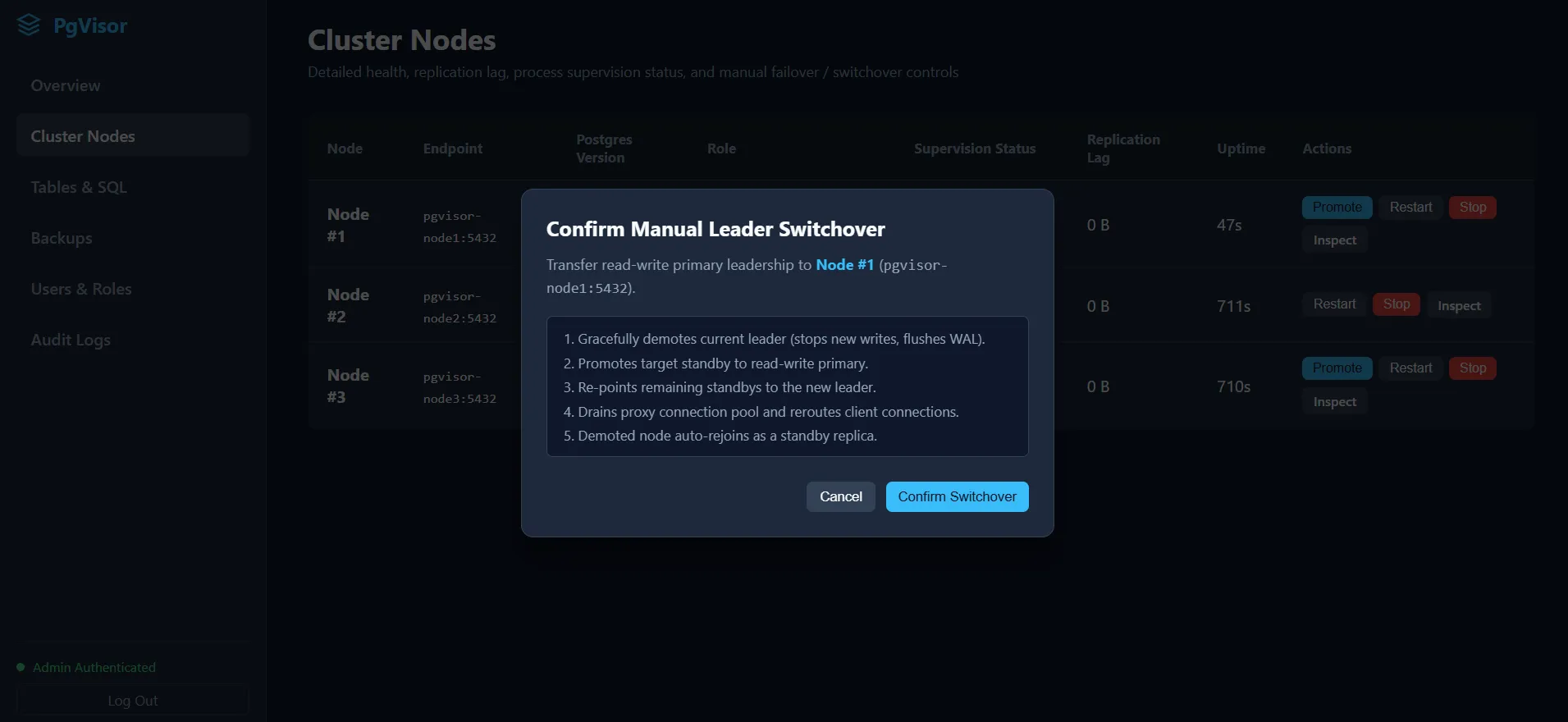
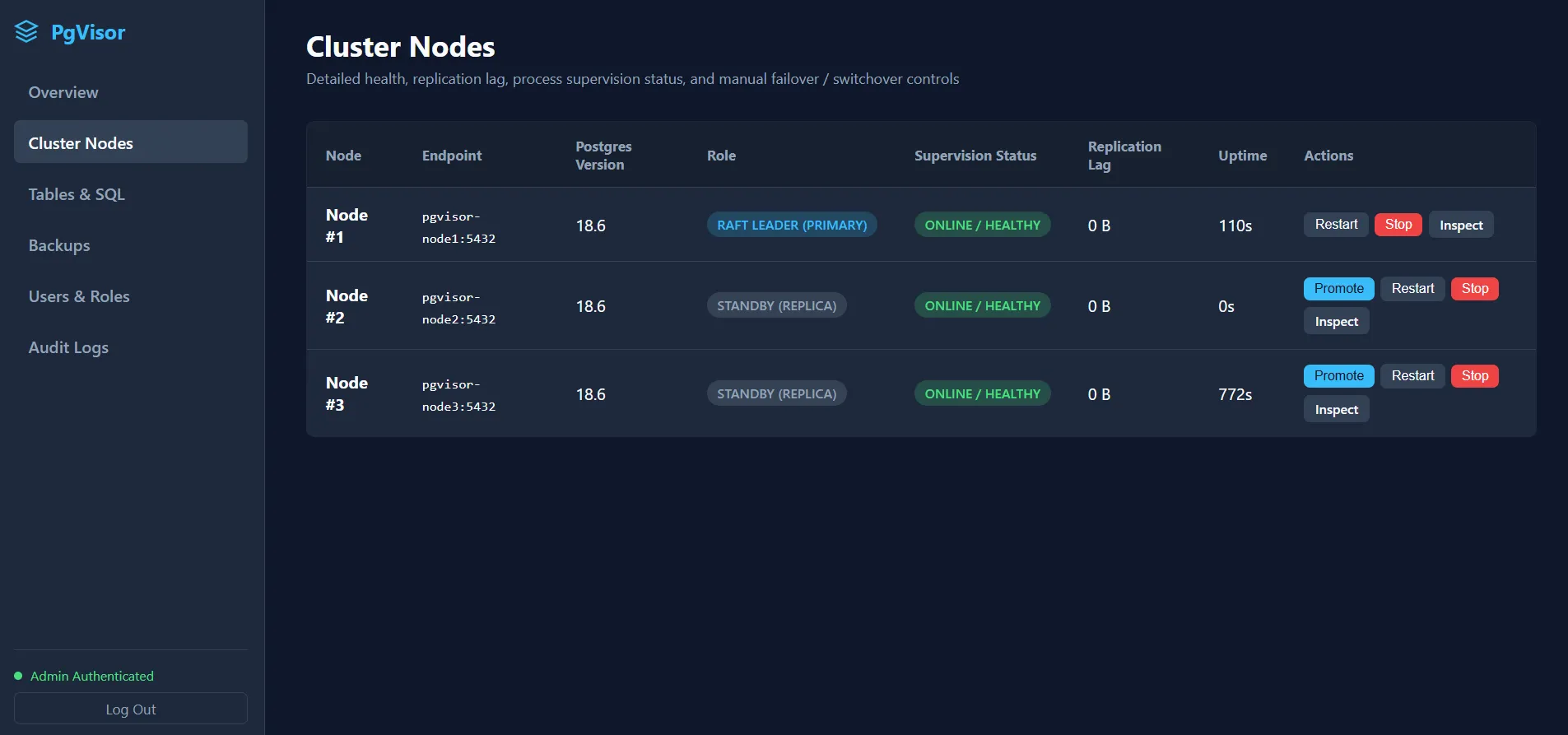
Node 1 is now promoted back to leader.
Testing User Creation
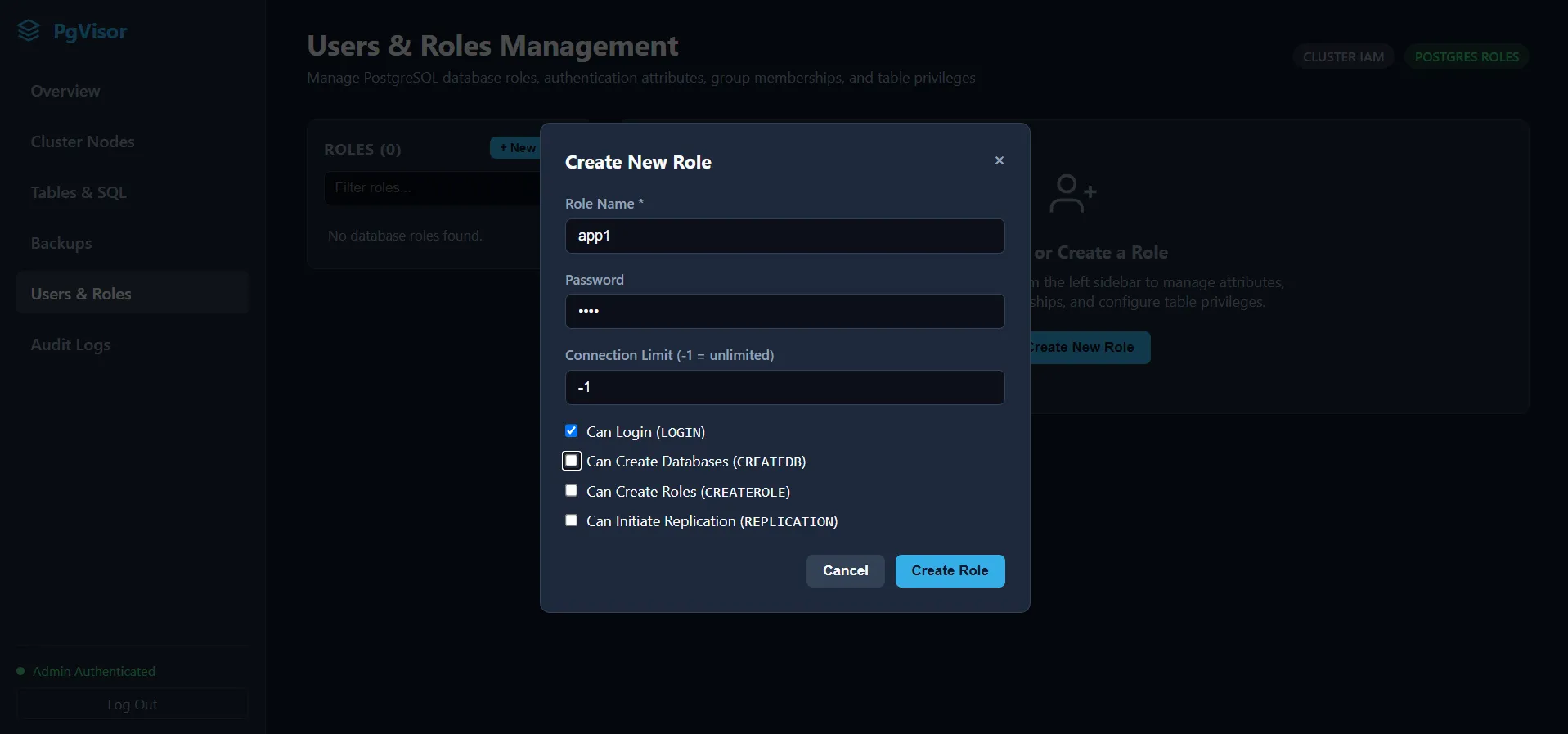
You can create database users under the Users & Roles page:
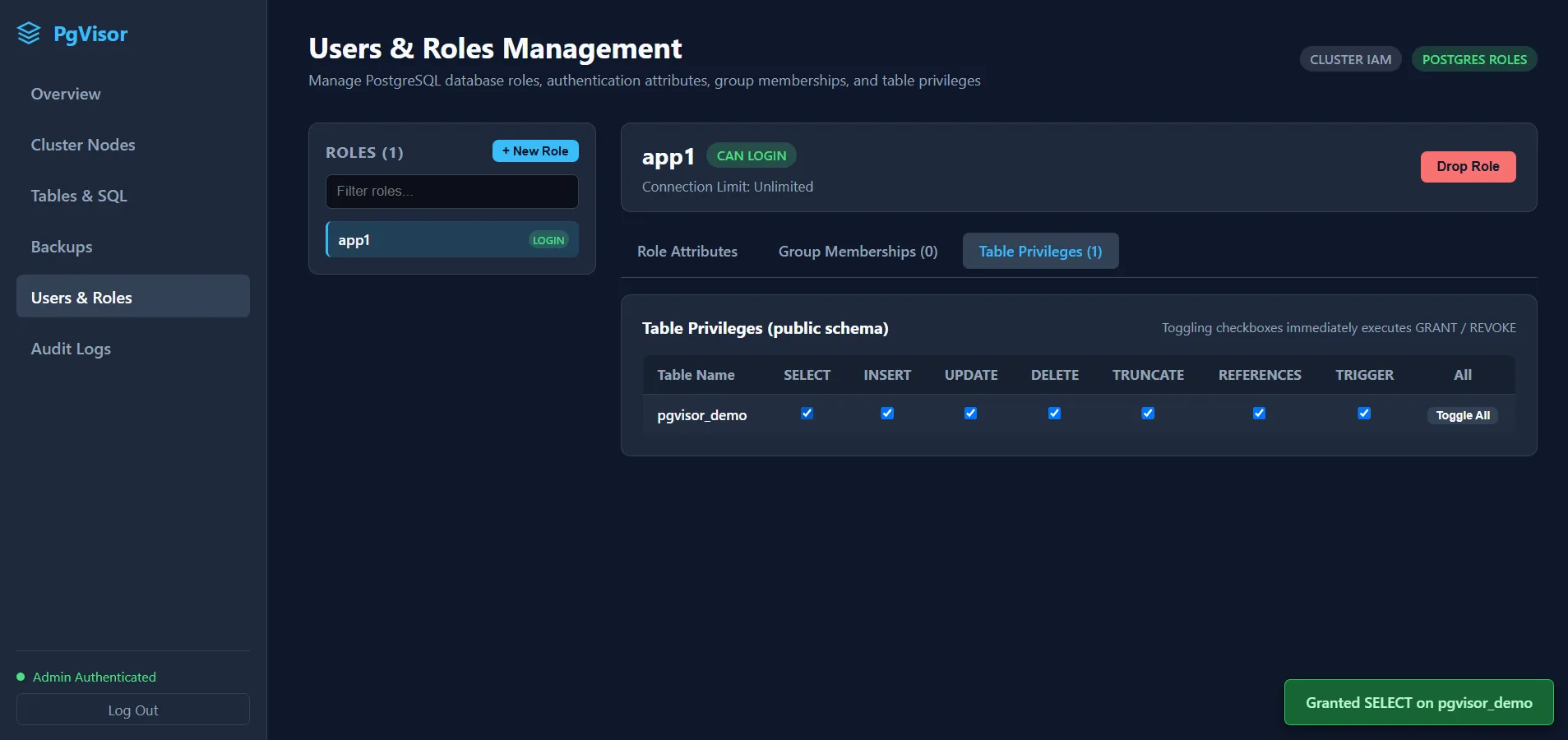
Update Table Privileges for the user:
Connect to the database using the newly created user credentials:
psql -h localhost -p 5432 -U app1 -d postgrespostgres=> SELECT * FROM pgvisor_demo; id | name | status | counter | created_at | updated_at----+-------+----------+---------+-------------------------------+------------------------------- 1 | alpha | active | 10 | 2026-11-03 04:00:47.907981+00 | 2026-11-03 04:00:47.907981+00 2 | beta | active | 20 | 2026-11-03 04:00:47.907981+00 | 2026-11-03 04:00:47.907981+00 3 | gamma | pending | 30 | 2026-11-03 04:00:47.907981+00 | 2026-11-03 04:00:47.907981+00 4 | delta | archived | 40 | 2026-11-03 04:00:47.907981+00 | 2026-11-03 04:00:47.907981+00 5 | echo | active | 50 | 2026-11-03 04:00:56.492623+00 | 2026-11-03 04:00:56.492623+00(5 rows)Inspecting Audit Logs
You can inspect database queries and activity logs in real time:
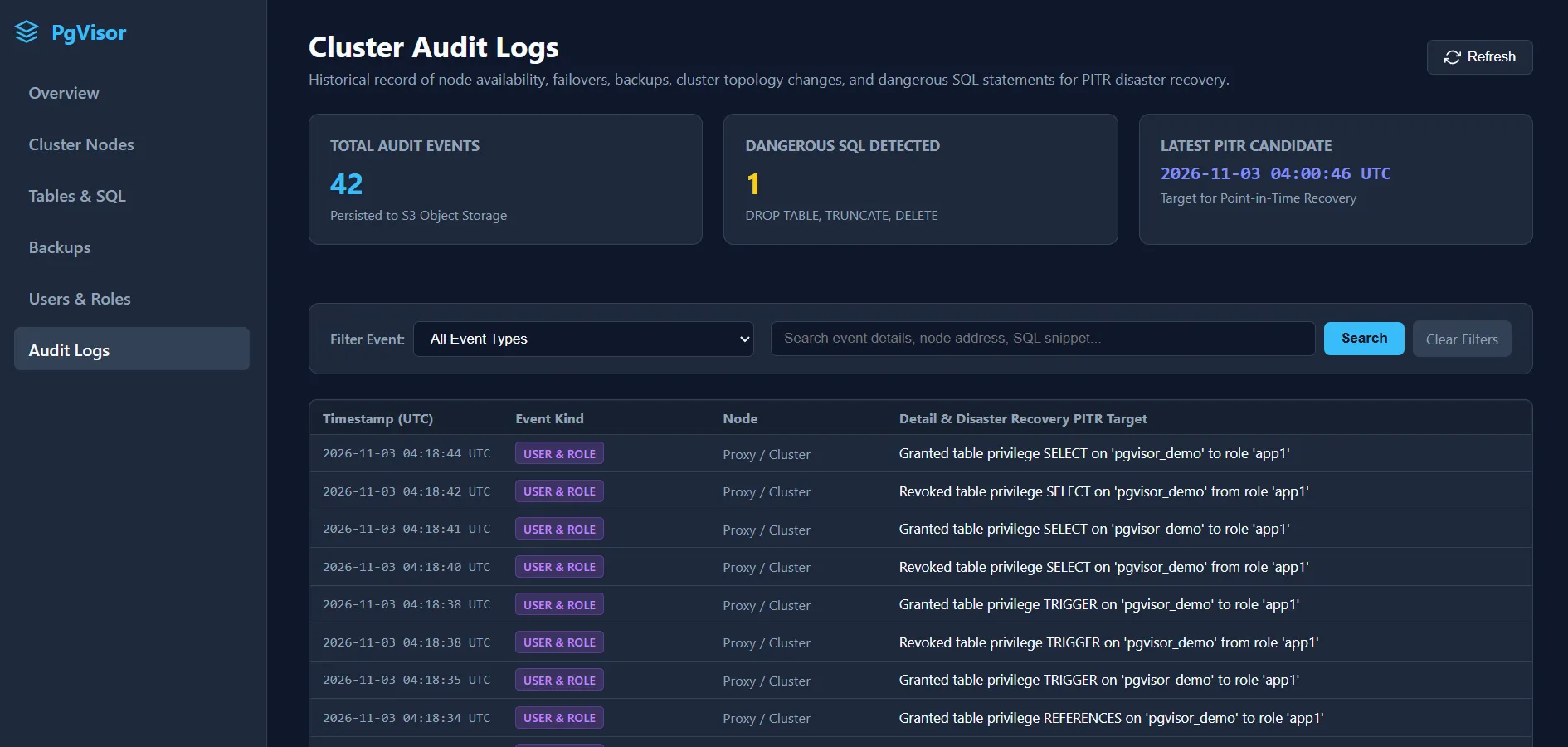
It highlights dangerous SQL statements, such as a DELETE without a WHERE clause:

Conclusion
This tool simplifies setting up and managing a PostgreSQL cluster, focusing primarily on automated HA failover and reliable backup & restore (PITR).
If you run into bugs or have feature ideas, feel free to open an Issue or Pull Request.
All contributions are welcome!